Get a Telegram message when your Lineage 2 character dies
You leave the character farming and go to sleep. At 02:14 it dies, and you find out at breakfast. This guide sets up an alarm that reaches your phone the minute it happens, so you or a friend can raise the character and go back to bed.
What you get
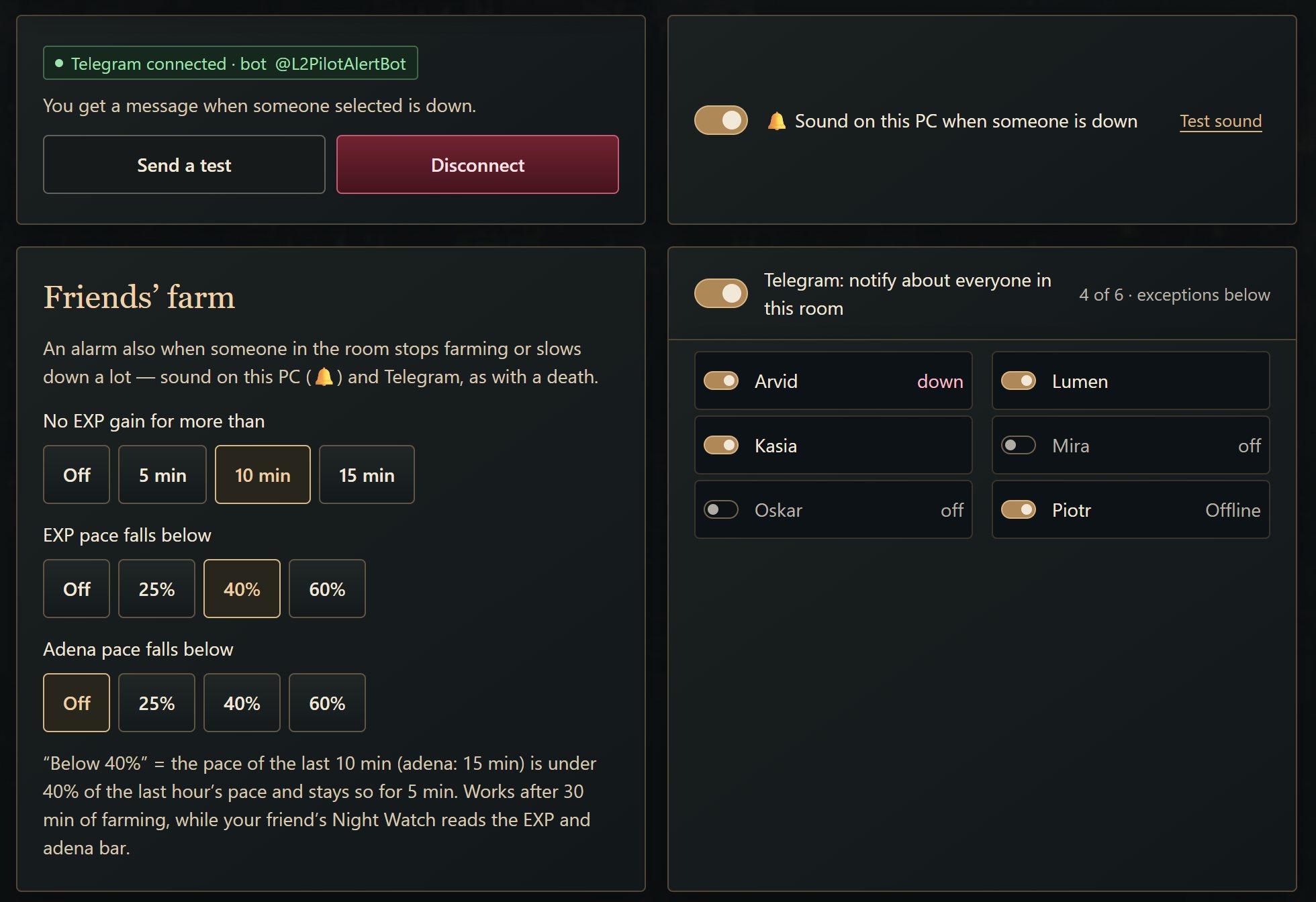
L2Pilot runs on the PC with the game and watches the picture of your Lineage 2 window. When the character dies, two things happen at once: a sound plays on every PC in your room, and the L2Pilot bot sends a Telegram message to everyone who watches that character.
Death is one of several alarms. On each person's card you pick what you want to hear about:
- the character died,
- the game crashed or was closed,
- the character was logged out to the login screen,
- the PC went offline,
- EXP stopped growing,
- EXP or adena fell below the usual pace,
- mana is low. You set the threshold yourself, from 1 to 95 % (10 % by default).
The message says exactly what happened and comes in your own language. L2Pilot supports 14.
Set it up
1Install L2Pilot on the PC with the game
Install the Windows program, create an account with a nick and a password, and pick your Lineage 2 window from the list. The program sits in the tray and shows a readiness list with anything you still need to fix, such as a screen lock that would break the session.
2Connect the Telegram bot once
Open the room alarms screen in the PC program and connect the Telegram bot. You do this one time per account.
3Choose who you watch
There is one switch for the whole room and a small one on every person's card. Use the room switch if you want to hear about everyone, or switch on only the people you agreed to watch. The bell on a card opens the list of alarm types for that person.
4Send a test alarm before you sleep
The alarms screen has a test alarm. Send one and check that it arrives on your phone with sound. If the phone’s night mode mutes Telegram, the test shows it while you are still awake.
What happens when the alarm fires
The message tells you who is down and since when. Open the room on your phone, tap Raise on the crimson card, and you see the live game window. Accept the resurrection or go to the village, then put the character back to work. A real person does this, on a real screen. L2Pilot does not press anything by itself.
If you watch a friend, the same message reaches you, and you can raise their character if they gave you a 👍 (their trust) in the app.
The morning report
Once Telegram is connected, you also get a morning report: farm time, EXP, adena, deaths and stalls for the night. On Monday it adds the week. The Reports tab keeps daily reports for the last 60 days.
What it won't do
- It won't resurrect or farm for you. There are no scripts and no macros in L2Pilot.
- It doesn't read the game's memory or touch its network traffic. It looks at the picture of the window, the same one you see.
- It can't wake you up if your phone is silent. Test the alarm.
Before you start: your server's rules
L2Pilot works with the Lineage 2 game window on Windows 10/11. Every server sets its own rules about remote access and shared accounts, and we don't promise that yours allows this use. Check the rules first.
Try it
Helping and watching is free: create an account (no e-mail needed) and open the app on your phone. The PC that shares its game needs the Windows program and an active licence: download L2Pilot 1.0.18 for Windows.